Invoice your shifts, chase late payments and know what to put aside for tax
A small app for independent NDIS support workers who do their own invoicing. Set up each participant once, and an invoice to the plan manager takes about a minute from your phone, even with no signal.
You get a licence key by email, a Getting Started guide (PDF) and the app at shiftpaid.thecompliantprovider.com. Tradie, contractor or freelancer? ShiftPaid for Sole Traders adds quotes with follow-ups, jobs, variations, photos and client sign-off, for the same A$29.
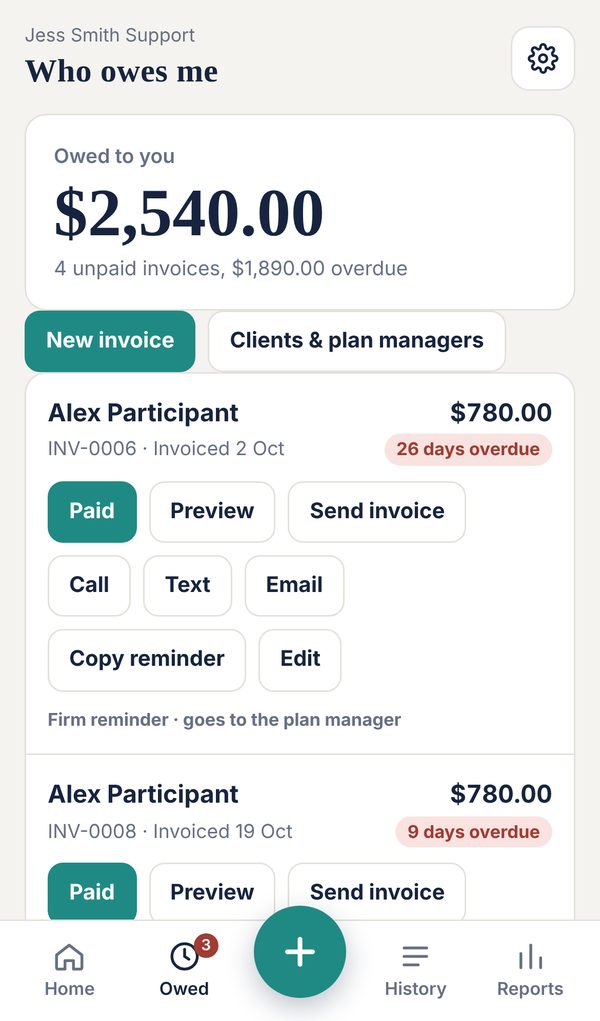
What ShiftPaid looks like
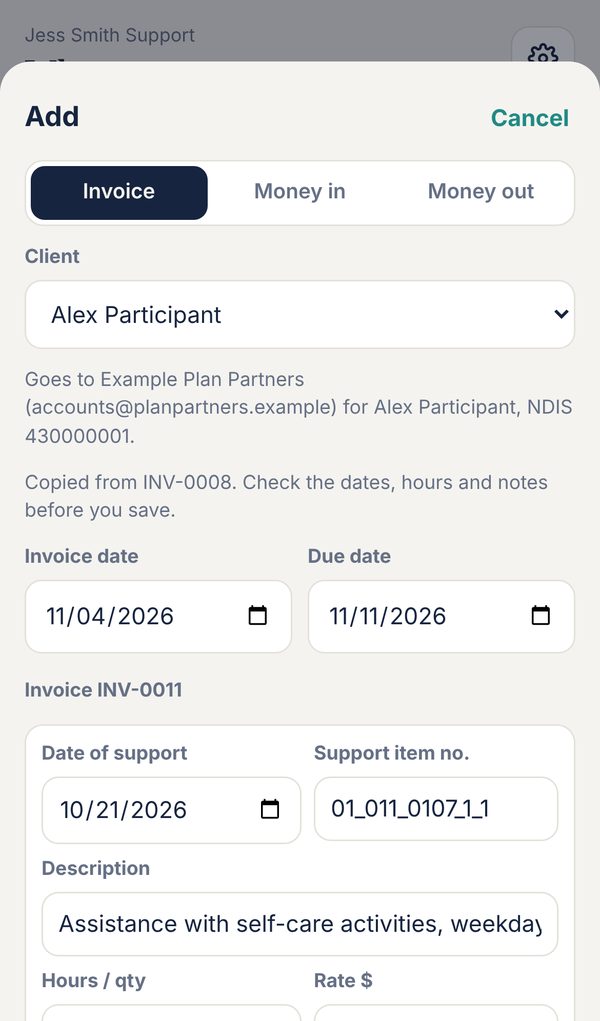
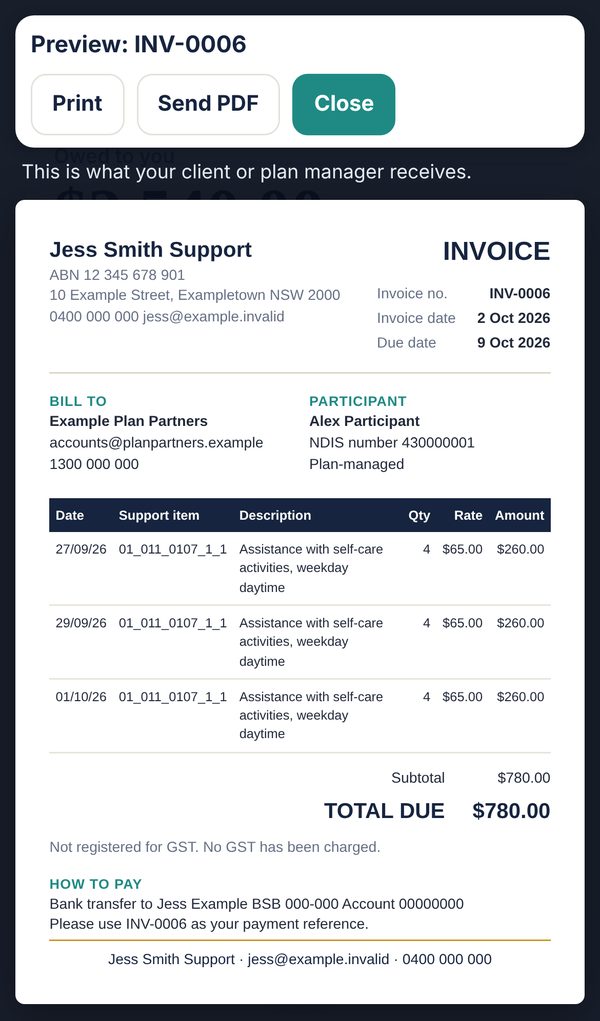
These are real screens from the app, using example data.
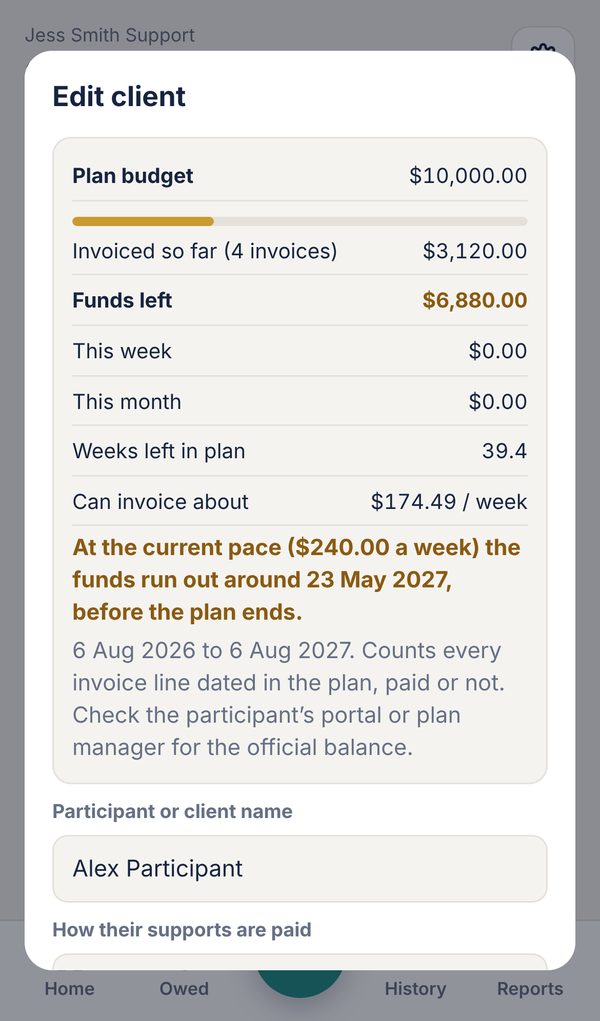
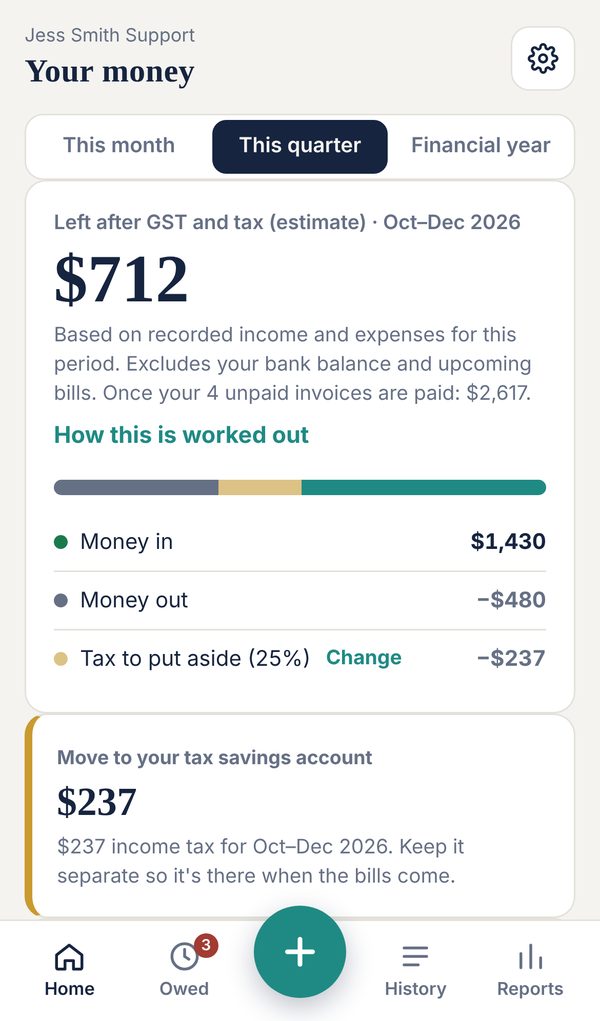
The money side of support work, in one place
Invoices plan managers can process
Each invoice shows your ABN, the participant's name and NDIS number, dates of support, support item numbers, hours, rates and your bank details. Plan-managed invoices go to the plan manager. Add kilometres for provider travel or activity-based transport, parking and agreed reimbursements as their own lines.
Less typing every week
Copy your last invoice in one tap, or set an invoice to repeat weekly, fortnightly or monthly. ShiftPaid has the next one ready on the day for you to check and send. Nothing goes out without you.
Chase payments without the awkward message
Every unpaid invoice shows how many days overdue it is. Call, text or email the plan manager in one tap with a reminder that's already written, and it gets firmer as the invoice gets later. Send a statement when someone asks what you've billed.
Tax and budgets you can plan around
See what's left after GST and tax for the month, quarter or year, and how much to move into savings. Track each participant's plan budget as you invoice. Log fuel, PPE and training with a receipt photo, and export a spreadsheet for your accountant.
Before you buy, please know
ShiftPaid keeps your records on your own phone or computer, and devices don't sync. Your licence works on up to 5 devices, and you move records between them, or to a new phone, with a backup file that the app reminds you to save. Entry is manual, with no bank feeds. Budget and tax figures are estimates to help you plan; they aren't tax advice or your official NDIS balance. ShiftPaid isn't an official NDIS product, and some plan managers ask for extra invoice details, so check with yours.
Refunds: no refunds for change of mind. This doesn't affect your rights under the Australian Consumer Law. If something isn't working, email support@thecompliantprovider.com and we'll help.
Common questions
Do my phone and laptop share records?
No. Each device keeps its own records. Most people use their phone as the main device and save a backup regularly. To move to another device, restore the backup there. It copies a snapshot; it doesn't keep devices in sync.
What if I lose my phone?
Restore your latest backup file on the new phone and your participants, invoices and receipt photos come back. Save backups to your email or cloud drive so they aren't only on the phone.
I already use Excel or a Word template. Why switch?
If your template works, you may not need to. ShiftPaid helps when invoicing is eating your weekend: participant details and support items are saved, unpaid invoices show how late they are, reminders are written for you, and the tax estimate updates when you mark something paid.
Does it work without internet?
Yes. It needs internet once to activate your key. After that you can create invoices and log expenses offline. Sending an invoice uses your phone's normal email, text or WhatsApp.
How do I install it on an iPhone?
Open shiftpaid.thecompliantprovider.com in Safari, tap Share, then Add to Home Screen. Open ShiftPaid from the new icon and enter your key there. On Android, Windows or Mac, use Install in Chrome or Edge.
What does early access mean?
Everything described on this page works today. Early-access buyers get every update free, and their feedback decides what we build next.
Is it a subscription?
No. A$29 once. Updates during early access are included.