
Quote the job, get the yes in writing and invoice it from your phone
For tradies, contractors and other sole traders who do their own quotes and invoices. Your price list is saved, every quote is followed up, and each job shows what you have billed and what is still to come, even on a site with no signal.
You get a licence key by email, a Getting Started guide (PDF) and the app at shiftpaid.thecompliantprovider.com. Works on up to 5 devices.
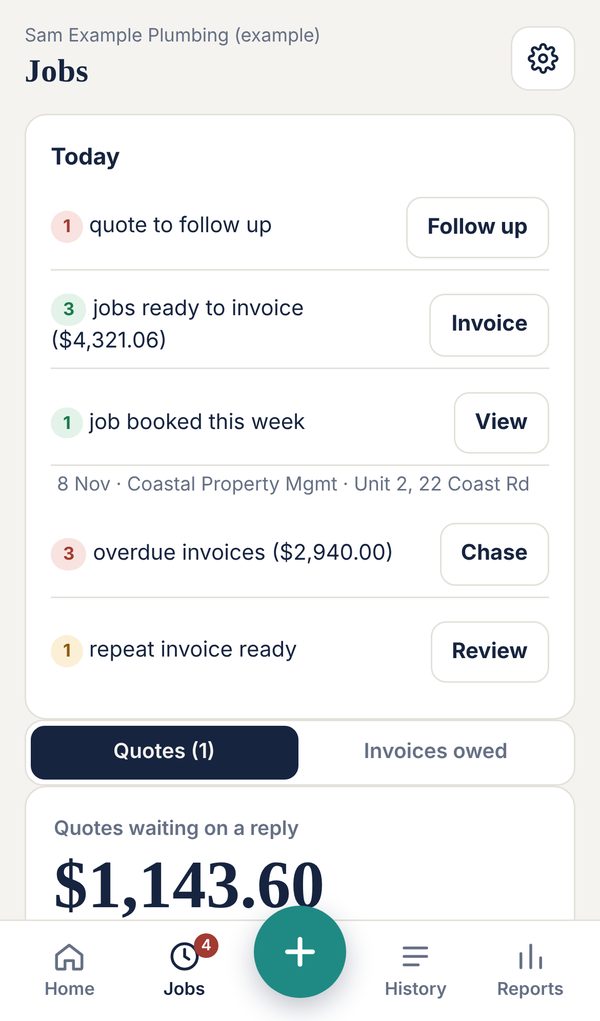
What ShiftPaid for Sole Traders looks like
These are real screens from the app, using an example plumbing business.
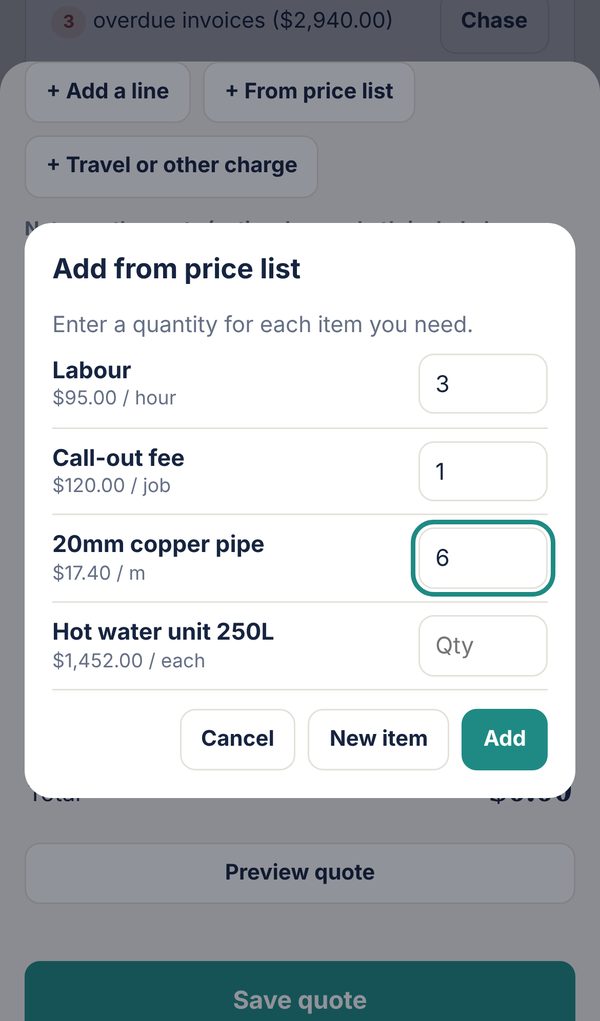
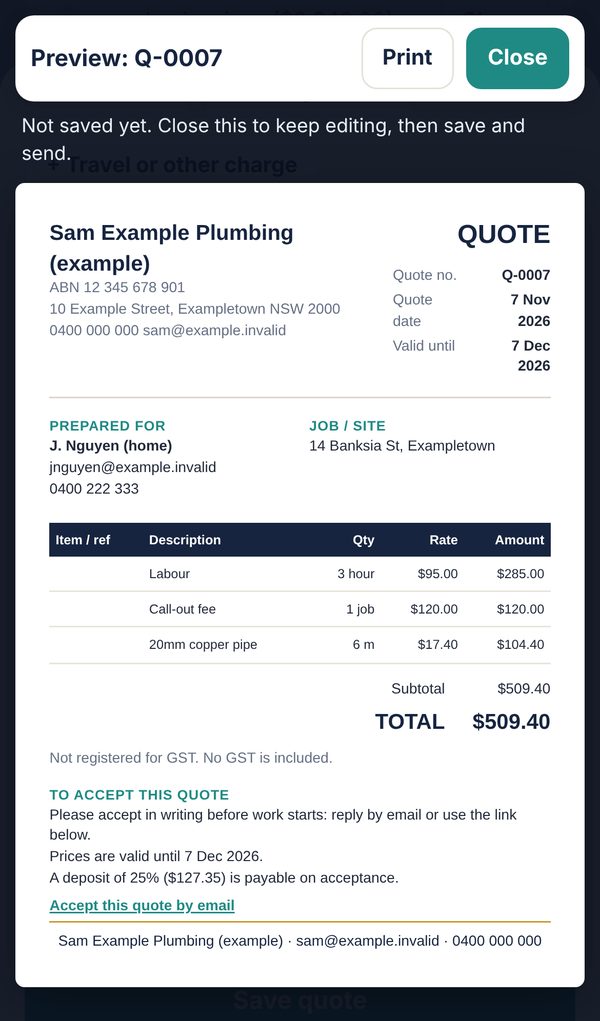
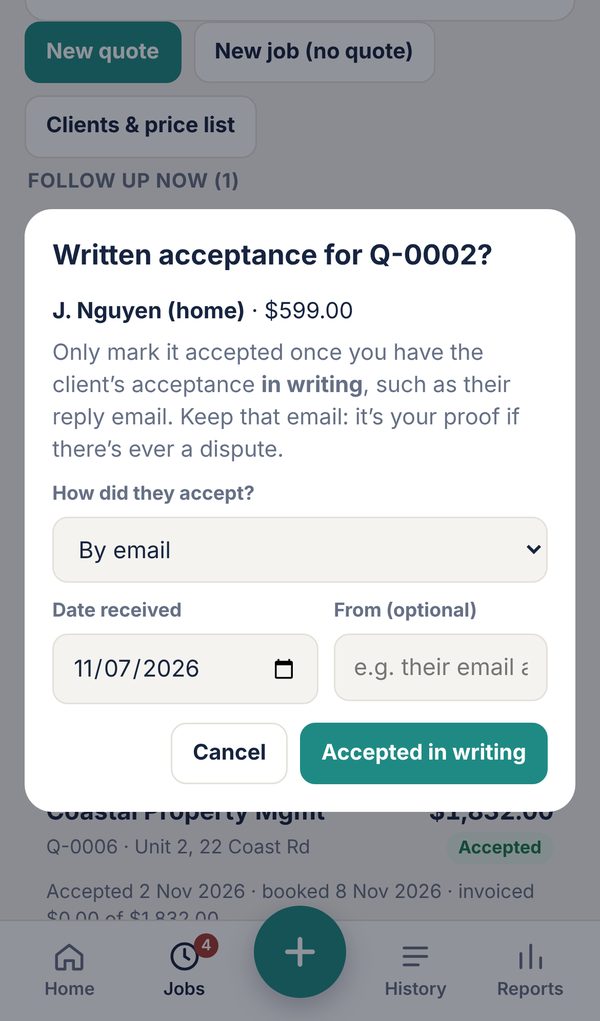
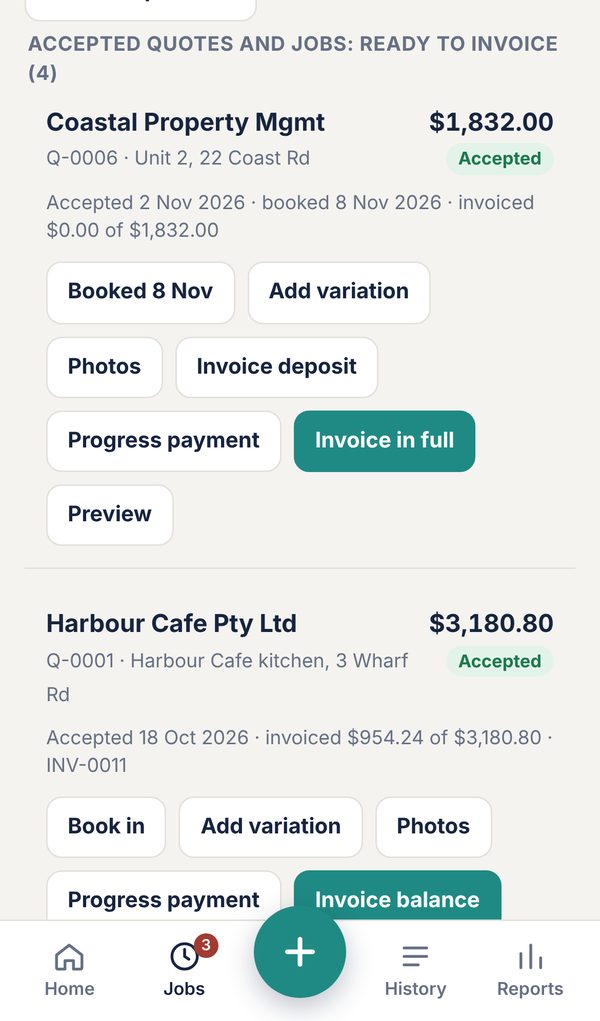
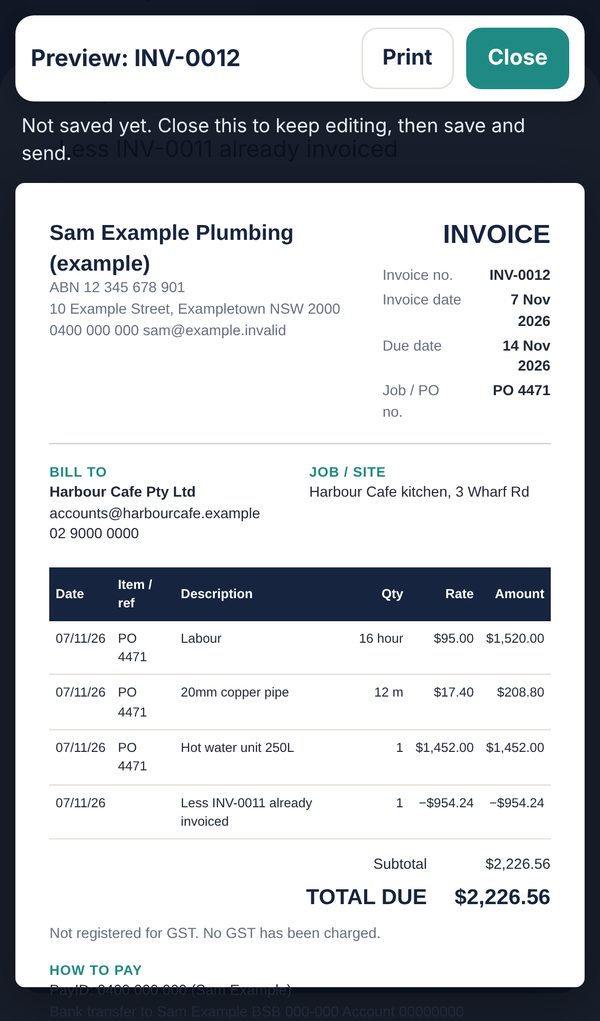
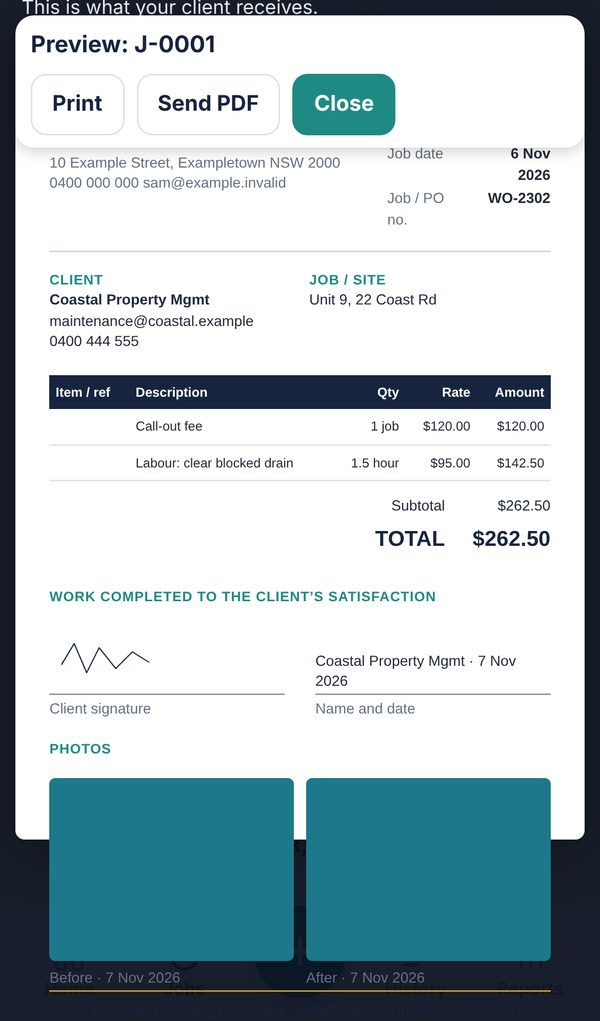
Every job, from quote to paid, in one place
Quotes that get followed up
Build a quote from your saved labour rates and materials, with units and markup. Add the job site, a deposit and a valid-until date, preview the PDF and send it. ShiftPaid tells you when a quote needs a follow-up and has the message written, and it shows which quotes are waiting, won, lost or expired.
Acceptance in writing
Every quote carries an "Accept this quote by email" link. A quote is only marked won once you log the client's written reply, with the date and who sent it, so you have a record if a job is ever disputed. Extra work goes on a variation that the client accepts the same way.
Invoice the way the job runs
Invoice a deposit, progress payments and the balance from the accepted quote. Each job shows what has been invoiced and what is left, and the balance invoice takes off earlier invoices and adds accepted variations for you. Call-outs and small jobs can skip the quote and go straight to a job.
On site and after
Book the job in, add before and after photos, and have the client sign the job sheet on your phone. Then chase late payments with a ready-written reminder, show your PayID or bank details on invoices, log expenses with receipt photos, and see an estimate of what to put aside for tax.
Free for the first 30 sole traders
Until 31 December 2026, the first 30 sole traders get ShiftPaid free in return for honest feedback after two weeks of real jobs. Email support@thecompliantprovider.com or message The Compliant Provider on Facebook with the word TRADE and we will send your code.
Before you buy, please know
ShiftPaid keeps your records on your own phone or computer, and devices do not sync. Your licence works on up to 5 devices, and you move records between them, or to a new phone, with a backup file that the app reminds you to save. Entry is manual, with no bank feeds or accounting software link. Tax figures are estimates to help you plan; they are not tax advice.
Refunds: no refunds for change of mind. This does not affect your rights under the Australian Consumer Law. If something is not working, email support@thecompliantprovider.com and we will help.
Common questions
Is this a different app from ShiftPaid for NDIS?
It is the same app with a sole trader mode. You choose the mode when you first open it, and you get the quotes, jobs and price list screens instead of the NDIS ones.
Why does acceptance have to be in writing?
A call or a tap on a button is hard to prove later. ShiftPaid puts an "Accept this quote by email" link on every quote, so the client replies in writing, and you log the date and sender when you mark the quote won. Keep that email with the job.
Does it handle GST?
Yes. If you are registered for GST, turn it on in Settings and quotes and invoices add GST and show it on the PDF. If you are not registered, the documents say so and no GST is added.
Can I do a job without a quote?
Yes. Start a new job with no quote for call-outs and small repairs, add the work and materials as you go, get the client to sign the job sheet, then invoice it.
Do my phone and laptop share records?
No. Each device keeps its own records. Most people use their phone as the main device and save a backup regularly. To move to another device, restore the backup there. It copies a snapshot; it does not keep devices in sync.
Does it work without internet?
Yes. It needs internet once to activate your key. After that you can quote, invoice and log expenses on site with no signal. Sending a PDF uses your phone's normal email, text or WhatsApp.
How do I install it on an iPhone?
Open shiftpaid.thecompliantprovider.com in Safari, tap Share, then Add to Home Screen. Open ShiftPaid from the new icon and enter your key there. On Android, Windows or Mac, use Install in Chrome or Edge.
Is it a subscription?
No. A$29 once, and updates during early access are included.